
Holiday lighting software
Show homeowners their house lit up
FieldMapr is holiday lighting software built for installers who sell from the driveway. Photo mockups and designs attach to the customer and property — Fielden dusk drafts or a manual editor, with footage and counts on every design.
Proposals, e-sign, and deposits are not available yet — mockups and designs are live today.
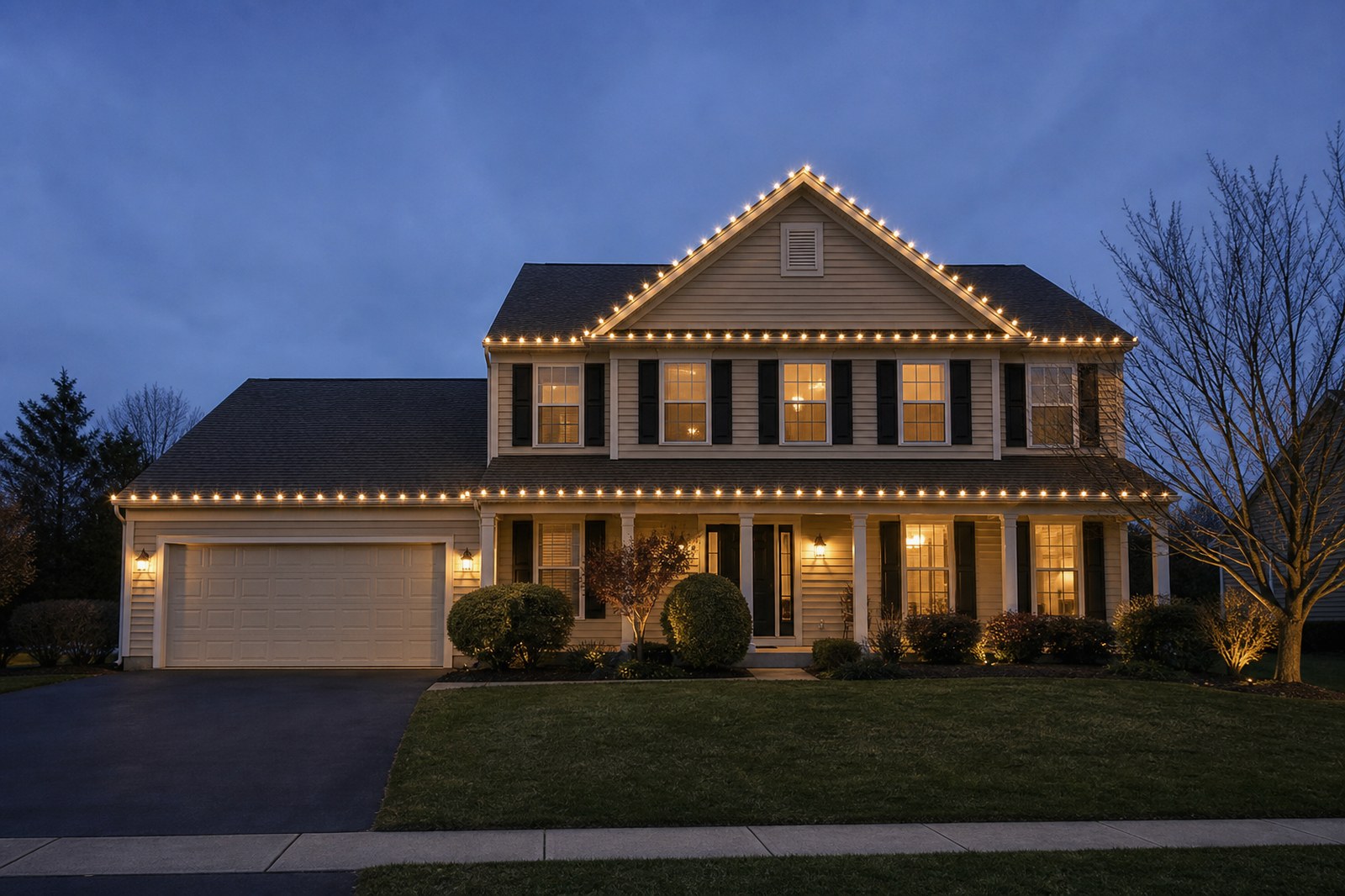
Chen Residence
C9 · Warm white
Sell the look without standing up another CRM
Generic CRMs fold the address into the contact. FieldMapr keeps the property first — designs, footage, and mockups live on the site you install on. Keep Jobber or Housecall Pro for billing if that is where your office already runs.
Show their house, not a stock photo
Upload a driveway photo and return a dusk mockup the homeowner recognizes — Fielden draft or your own manual placement.
Designs on the property record
Pick the customer, then the service site. Footage and element counts stay on the design — not in a separate address book.
Built for installers
Rooflines, bushes, and walkways in a manual editor when the AI draft isn't the right sell — same design record either way.
From property to mockup
- 1
Add customer and property
The account you bill and the service site you install on — separate, like it should be.
- 2
Upload the house photo
Add a source photo to a new lighting design on that property.
- 3
Fielden or manual
Generate a dusk draft from holiday bundles, or trace rooflines yourself in the editor.
- 4
Save and show the homeowner
Footage and element counts stay on the design. You decide what the customer sees.
Two ways to design
Let Fielden draft it, or do it by hand
Fielden dusk mockup
Pick built-in holiday bundles on the source photo. Fielden returns a dusk lighting draft you can keep or redo.
- Built-in bundles on the property photo
- Saved on the same lighting design record
- You decide what the customer sees
Manual editor
Place rooflines, bushes, and walkways yourself when you want full control over the sell.
- Same design record as Fielden
- Footage and element counts as you draw
- Open later from the property hub
What's live today
Lighting mockups
Fielden generates a dusk draft from the house photo, or you place the design by hand.
Explore →Customers & properties
Pick the customer, then the service site. Lighting never collapses the address into the contact.
Explore →- Photo designs attached to a customer and a property
- Fielden dusk mockups from built-in holiday bundles
- Manual editor for rooflines, bushes, and walkways
- Linear footage and element counts on each design
- Same FieldMapr login — not a separate lighting product
- Keep Jobber or Housecall Pro if that's where you bill
Rolling out next
We won't sell workflows we haven't shipped. Plan your season around mockups and designs today.
- Customer-facing proposals with e-sign
- Deposits and payment collection
- Seasonal install and takedown job workflows
Built for holiday lighting crews
Holiday lighting installers
Sell the look from the driveway with mockups tied to each property you quote.
Solo hangers
Create designs, track footage, and keep customer records without a lighting-only CRM.
Seasonal crews
Open the same design record later — Fielden draft or manual edits on the property photo.
Dual-trade companies
Irrigation maps and lighting designs on the same customers and properties when you run both seasons.
Frequently asked questions
Honest answers for holiday lighting installers evaluating FieldMapr.
- What is Christmas light design software?
- Christmas light design software lets an installer show a homeowner their own house lit up before the install, usually as a photo mockup, and keep the footage and element counts for the quote. FieldMapr does this on each customer property, with Fielden dusk mockups or a manual editor.
- Can FieldMapr mock up Christmas lights on a customer’s house?
- Yes. Upload a photo of the customer’s house to a lighting design on their property. Fielden generates a dusk mockup from built-in holiday bundles, or you trace rooflines, bushes, and walkways yourself in the manual editor. Linear footage and element counts stay on the design.
- Is FieldMapr a holiday lighting CRM?
- No. Holiday lighting in FieldMapr is photo designs and mockups on customers and properties — built for installers who need to show the homeowner their house lit up. It is not a replacement for Jobber, Housecall Pro, or lighting-only platforms.
- Can I send a lighting proposal and collect a deposit?
- Not yet. Photo designs and mockups are available; proposals, e-sign, and deposits are still rolling out. Don’t plan your season around those workflows today.
- Does lighting use a different login?
- No. Holiday lighting designs live in the same FieldMapr workspace as irrigation maps and inspections. The property stays first-class — we don't fold the site into the customer record.
Mock up your next quote tonight
Free to start. No credit card required to sign up.
Also see Christmas light design software.
Same FieldMapr login if you also map sprinklers — lighting tools are built for hangers, not borrowed from irrigation. irrigation software.