
Customers & properties
Every service site, organized in one place
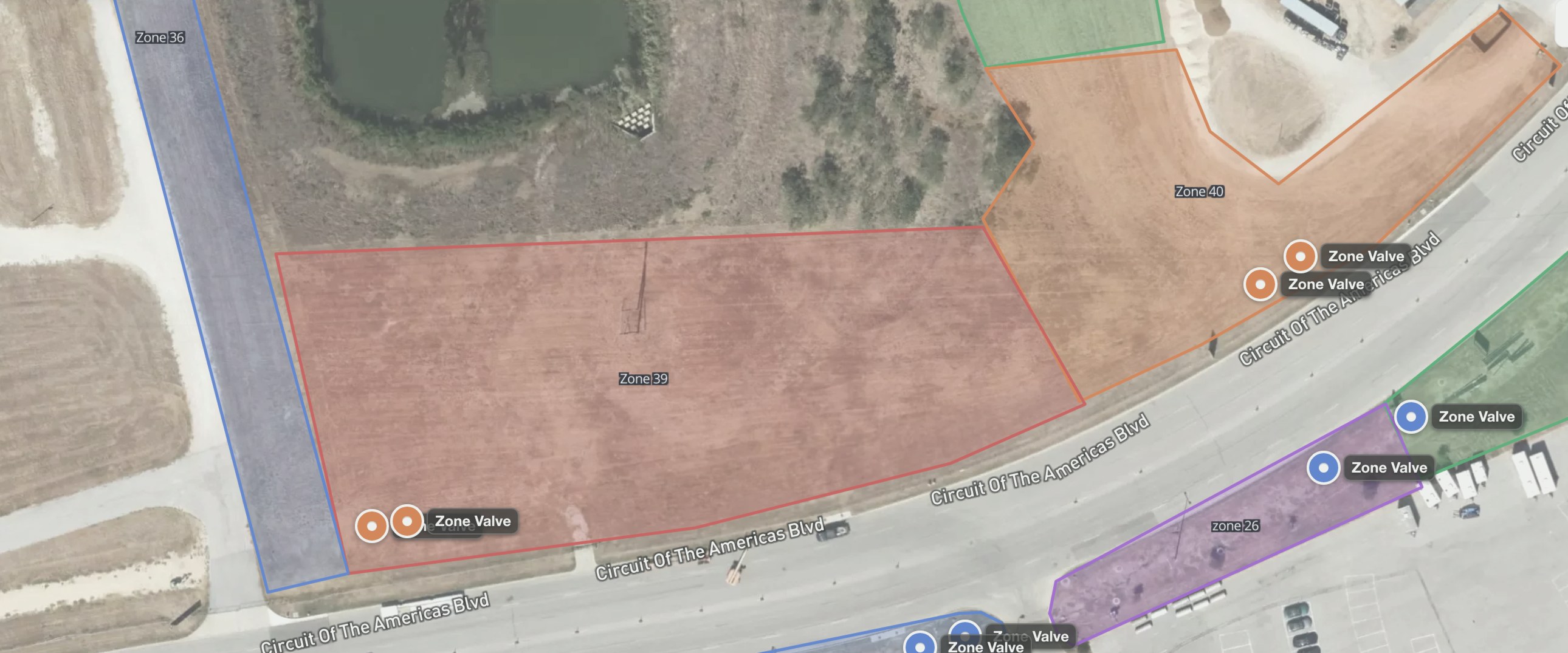
Properties are home base for field documentation. Each site links its customer, address, maps, and inspections — so anyone on the crew can pull up the full history.
Oakridge HOA
14 Birch Lane
Westbrook Plaza
The address is not the customer
Generic CRMs often treat the contact as the site. Irrigation and lighting work happen at a property. FieldMapr keeps both, and never collapses them.
How the workflow works
- 1
Create the customer
Name, phone, email — the relationship you already have in Jobber or Housecall Pro.
- 2
Add the property
The service address is required and first-class. We don’t fold the site into the contact.
- 3
Attach the work
Maps, inspections, jobs, and lighting designs live on that property.
- 4
Open it from the truck
Search the site and pull history before anyone walks the yard from memory.
The property hub
Each site links customer, address, maps, irrigation profile, and inspections. Holiday lighting uses the same property tab when that domain is on.
- Search by site, address, or customer in seconds
- Start a new map, inspection, or job from the property
- Customer records stay connected to the work you’ve done
Oakridge HOA
14 Birch Lane
Westbrook Plaza
What FieldMapr includes
- Customer is the account; property is the service site
- One customer can have multiple addresses
- Search by site, address, or customer before you roll out
- Start a map, inspection, or job from the property hub
- Holiday lighting designs attach to the same property — not a second address book
- Optional Zapier or CSV import on Solo and above — keep your CRM
Frequently asked questions
Common questions from contractors evaluating FieldMapr.
- Why are customers and properties separate?
- A customer is the account. A property is the service site. One customer can have several addresses. Maps, inspections, jobs, and lighting designs attach to the property so the next tech opens the right site.
- Can I keep my existing CRM?
- Yes. FieldMapr organizes field documentation against customers and properties. On Solo and above you can bring records in via Zapier or CSV instead of replacing Jobber or Housecall Pro.
- How do I find a site before I roll out?
- Search by site name, address, or customer. Open the property hub for maps, inspections, and follow-up work in one place.
Ready to try FieldMapr on your next site?
Free to start with a 14-day Team trial. No credit card required to sign up.
Also see all FieldMapr features.